
English 
Dedicated to global electroacoustic technology.
Views: 0 Author: Site Editor Publish Time: 2026-11-12 Origin: Site


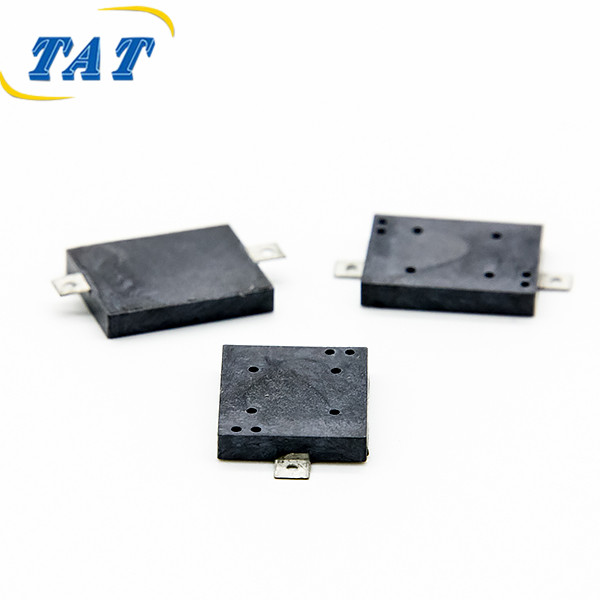
A new board comes back from assembly. The firmware is supposed to beep, and instead there is a single soft tick from the speaker area, then silence. The part is not dead. The driver is not necessarily broken. In the overwhelming majority of cases, the wrong member of the family was specified, or the right member was specified and driven as if it were the other one.
The confusion starts with vocabulary. Distributors, datasheets and purchasing systems use "buzzer" and "transducer" almost interchangeably, and the two words describe devices with opposite electrical behaviour. Getting the buzzer vs transducer distinction right is usually the difference between a tone and a click.
Strictly, a transducer is the electroacoustic element: the device that converts electrical energy into air pressure. A piezo disc bonded to a brass plate is a transducer. A magnetic coil with a diaphragm is a transducer. The word describes the physics, not the product.
A buzzer is a finished assembly built around a transducer: a housing, a sound port, terminals, and sometimes a drive circuit. When the housing contains an oscillator, the part is called active or self-drive, and it produces a tone when you connect it to a DC supply. When it does not, the part is called passive or external-drive, and it produces a tone only when you feed it an alternating signal.
That gives three practical categories, and only one of them is plug-and-play on DC: the bare transducer, the passive buzzer, and the active buzzer.
Both terms leak across categories in real catalogues. Parts marketed as "buzzer transducers" are frequently passive buzzers, meaning they look like a finished buzzer but still need a square wave. The BP1109S-0541 is listed as an SMD electromagnetic buzzer transducer, with a 1 to 20 Vp-p drive requirement, 4100 ± 500 Hz resonance and a capacitance of 12000 pF ± 30% at 120 Hz. That capacitance figure is the giveaway: a part with a quoted capacitance is telling you it is a passive element, and a passive element cannot oscillate by itself.
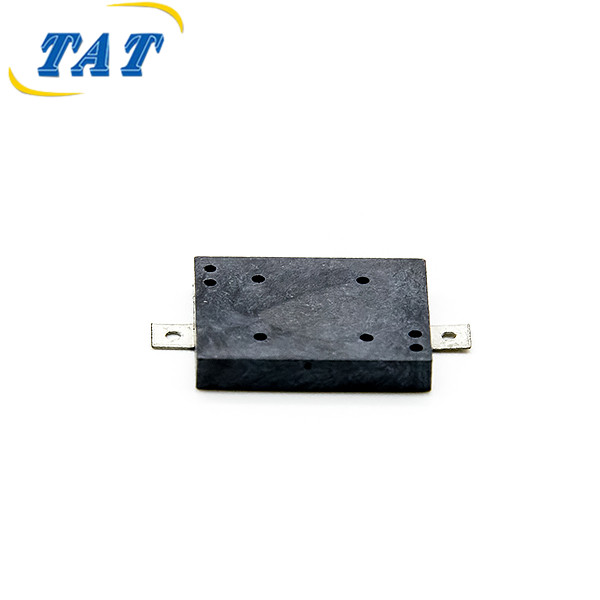
The lesson for buyers is to ignore the noun on the label and read three lines instead: the drive requirement, the frequency specification, and whether the part is described as active or passive.
A click is what a transducer produces when it is displaced once. A tone is what it produces when it is displaced repeatedly, several thousand times a second. The distinction is entirely about the drive waveform.
A piezo element behaves like a capacitor. Apply a DC voltage and current flows briefly while the element charges, the ceramic disc flexes, and the air moves once. That single movement is a broadband transient, which the ear hears as a click or a tick. Once the element is charged, nothing more happens, because there is no further change in voltage to flex the disc. The circuit is doing exactly what it was told; the instruction was simply the wrong one.
The same logic applies to a magnetic transducer, where a steady current produces a steady magnetic field holding the diaphragm in one position. Energise it once and you get one movement. Hold it energised and you get silence plus heat.
An active buzzer contains its own oscillator. Feed it DC and the internal circuit generates the alternating drive, so the element is displaced continuously at the design frequency. That is why a self-drive part appears to "just work" and why it is so often chosen for prototypes.
The BPC2310 illustrates the category: 12 VDC rated with a 6 to 15 VDC operating window, minimum 90 dB at 10 cm, 3500 ± 500 Hz, maximum 15 mA at 12 VDC, in a black PBT housing for through-hole mounting. Connect it to a 12 V rail and it sounds. Connect a passive element to the same rail and you get the click described above.
If your design needs the tone to be defined by firmware, choose passive. If it needs to exist without firmware, choose active. Choosing passive and then driving it with a DC level is the single most common cause of the symptom in the title.
The second most common cause is a drive signal of the right shape at the wrong frequency.
Every piezo and magnetic assembly has a mechanical resonance where the diaphragm moves most freely for a given input. At that frequency the acoustic output peaks; away from it, output falls away quickly and can drop by an order of magnitude within a modest frequency span. Drive a resonant part far from its resonance and it is not "quiet" in a linear sense, it is simply outside the region where the structure cooperates.
Worse, if the drive frequency is low enough to be audible as separate events, the ear hears a train of clicks rather than a tone. A firmware loop that toggles a pin with a long delay produces exactly that, and it looks like a hardware fault on the bench even though the code is the fault.
The frequency on the datasheet is the frequency at which the quoted sound pressure was obtained. The BP9019S-40 is specified at 4000 Hz, with a 1 to 25 Vp-p operating window, a 3 Vp-p rated voltage, minimum 65 dB at 10 cm and a maximum current of 3 mA at rated voltage, in a body measuring 9.0 by 9.0 by 1.8 mm. Those figures belong together. Driving that part at 2 kHz and expecting 65 dB is a specification error, not a defective unit.
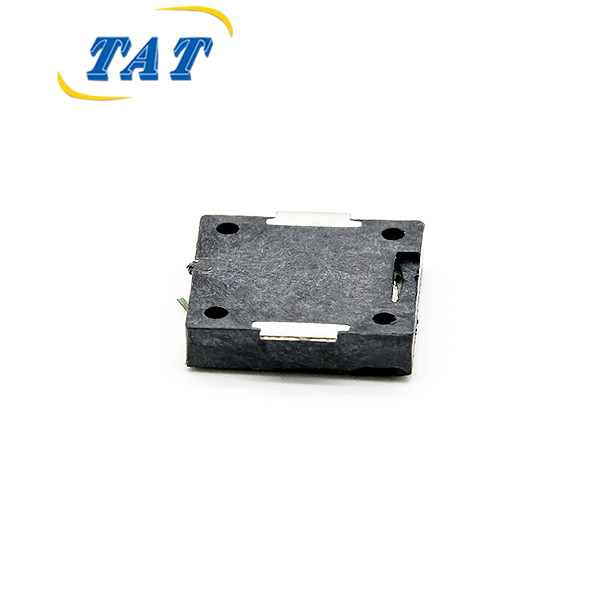
Note also the tolerance. A part quoted at 4100 ± 500 Hz is not guaranteed to peak exactly at 4100 Hz, and a part quoted at 3500 ± 500 Hz spans a range wide enough that a fixed firmware frequency may sit off-centre. For chimes and multi-tone alarms, sweeping the drive frequency in firmware is a legitimate technique, but the sweep has to pass through the resonant region to be heard.
Five circuit-level errors account for almost every "no tone" report that reaches a supplier.
The first is a driver that cannot source the required current. A magnetic transducer can draw tens of milliamps in a pulse; a microcontroller pin cannot, so a transistor is required, and a transistor with the wrong base resistor stays in its linear region and delivers too little. The second is a missing or reversed flyback diode across a magnetic coil, which clamps the drive and can destroy the driver. The third is a series capacitor left in the path from a previous design, which blocks the DC path an active part needs. The fourth is a firmware configuration where the pin is set as an input or as open-drain without a pull-up, so the element never sees a full swing. The fifth is a duty cycle so extreme that the fundamental content collapses, which is audible as a thin, buzzy whisper rather than a tone.
All five produce the same field symptom: a click, then nothing. None of them is a component failure, and none will be found by swapping the part.
Put a scope across the terminals first, not a replacement order. If the trace shows a flat DC level, the fault is upstream: firmware, driver stage or a blocked DC path. If it shows a square wave, measure its amplitude and frequency against the datasheet window and the quoted resonance before drawing conclusions.
Then measure current. A passive piezo element should draw almost nothing in steady state; a magnetic part should draw its specified pulse current. A reading far below the datasheet figure points at the driver, not the element.
Then sweep the frequency. Drive the part across a range around its rated resonance and listen and measure. If output peaks sharply at one frequency, the part is healthy and the original drive was simply off-frequency. If output is flat and weak everywhere, the element may be mechanically compromised, for example by adhesive that has flowed onto the diaphragm or a housing that pre-loads it.
Finally, confirm the measurement itself. A sound pressure figure is only meaningful if it came from a calibrated meter of the kind defined in IEC 61672-1:2013, the standard for sound level meters, at a stated distance and drive condition. A phone app is not a reference instrument, and the decibel itself is a defined logarithmic ratio rather than an arbitrary scale, as the NIST Physical Measurement Laboratory sets out in its treatment of measurement units.
The choice is a design decision, not a purchasing preference, and it should be made before the schematic is frozen.
Choose passive when the product needs more than one sound: a chime, a multi-tone alarm, a volume envelope, or a tone that changes with state. A passive element gives firmware full control of frequency, duty and cadence, and it is usually the cheapest and smallest option. The BP1109S-0541 suits this role in thin devices: 1.7 mm tall, 0.5 g, SMD pads for pick-and-place, and only 7 mA at 4.1 kHz with a 5 Vp-p drive.
The cost of that control is that the tone now depends on the firmware being right, and on the drive stage being able to swing the element at the required voltage.
Choose active when the alarm must work before the MCU boots, when the board has no spare timer, or when the product has no firmware at all. An active part removes an entire class of bugs, because the tone generation is inside the component and cannot be misconfigured.
The trade-off is inflexibility: one tone, fixed by the part, and no way to layer a priority scheme on top without additional parts. For products that need a single continuous alert, that is not a limitation at all.
A useful middle path for compact designs is a small passive element such as the BP9019S-40 driven by a dedicated driver pin, which keeps size and current low while retaining firmware control. What it does not tolerate is being wired to a DC rail and expected to sing.
Buzzer vs transducer is not a word-choice problem. A transducer is the element; a buzzer is the assembly; an active buzzer is an assembly with its own oscillator. When a design clicks instead of toning, the cause is almost always a passive element being driven with a DC level, or a resonant element being driven outside its resonant region. Both are specification and firmware issues, and both are invisible on a purchase order.
The practical rule is short. Read the drive requirement before the price, confirm the part is passive or active, confirm the quoted frequency is the frequency your firmware will generate, and put a scope on the terminals before opening a quality claim. A part that clicks once is not a failed part; it is a part that was asked to move once.
Sometimes, and the limit is voltage and current rather than principle. A small piezo element is capacitive and draws very little steady-state current, so a logic pin at the same amplitude as the datasheet test condition can work. The BP1109S-0541 is quoted at 5 Vp-p with 7 mA draw, which is within reach of a strong driver but marginal for a weak one. Check the pin's source current and the element's capacitance before assuming it will work, and remember that a 3.3 V pin cannot deliver a 5 Vp-p swing without a driver.
Because one transition is one displacement. A single high-to-low or low-to-high edge charges the element once and produces one broadband transient. Producing a tone requires a continuous alternating drive at the resonant frequency, which means a timer, a PWM peripheral or a firmware loop with a short and consistent period. If you only need a click, that behaviour is correct and useful; it is simply not a tone.
Not reliably. Loudness at the ear depends on the sound pressure at the listening distance, the resonant behaviour under the actual drive, and the ambient noise of the product. A part quoted at a higher figure under a drive condition your circuit cannot reproduce may end up quieter in service. Fix the drive first, then compare candidates at the same distance and amplitude; raising the quoted number before fixing the waveform usually just moves the problem.
Usually, and the saving is often lost elsewhere. A bare element needs a drive stage, a frequency source and mechanical accommodation in the product, all of which carry engineering and assembly cost. An active buzzer costs more per unit and less per project for single-tone products. Compare total cost at your volume, not unit price at the quotation stage.


